Atomicity Wiki
 Wiki Home
- Updates
- Activities
- Quests
- Achievement Diaries
- Clue Scrolls
- Minigames
- Bosses
- Items
- Items
- Weapons
- Armour
- Jewellery
- Capes
- Ammunition
- Other items
- All items
- Skills
- Agility
- Attack
- Construction
- Cooking
- Crafting
- Defence
- Farming
- Firemaking
- Fishing
- Fletching
- Herblore
- Hitpoints
- Hunter
- Magic
- Mining
- Prayer
- Ranged
- Runecrafting
- Slayer
- Smithing
- Strength
- Thieving
- Woodcutting
Update:Maps to Explore

Maps to Explore
26 November 2026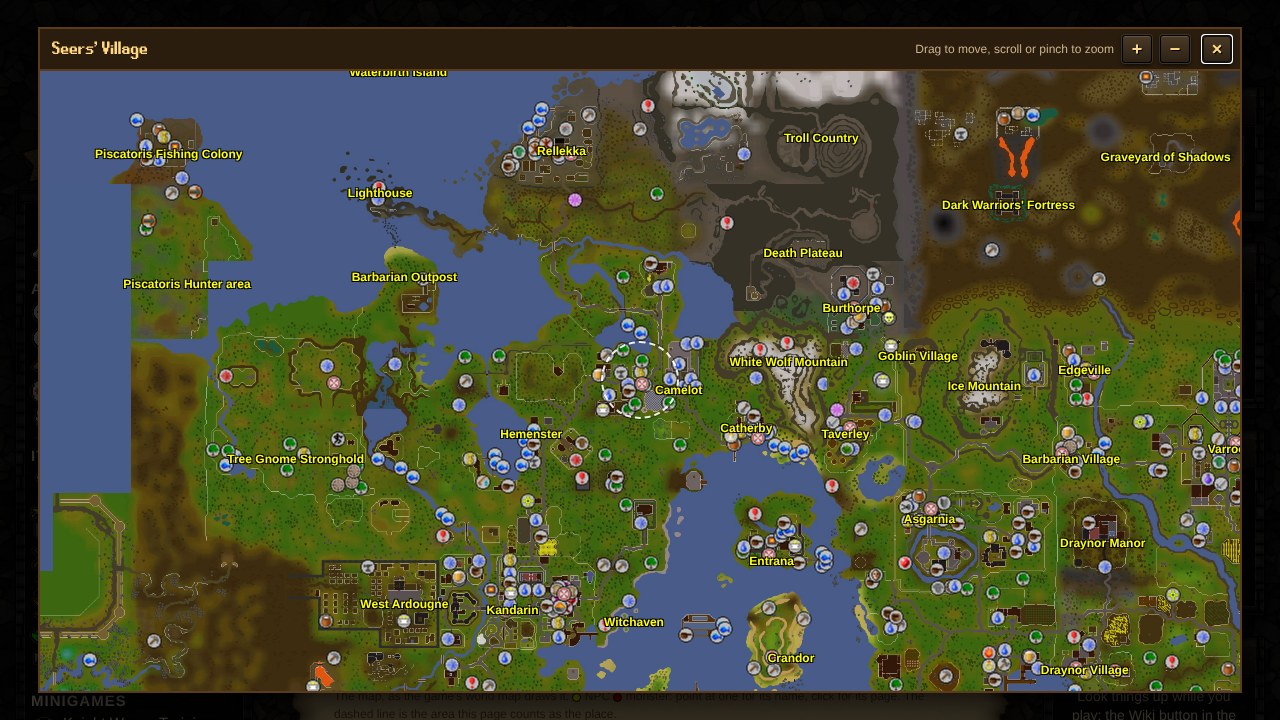
Every map on the wiki now opens into the whole world map, and the bonfires are shown on maps. The welcome screen's news scroll gets a heading.
The wiki's maps
- Click any map on the wiki (a place's, a character's, or a spot on a page) and the whole world map opens there, with the same spot marked.
- Drag it around, and zoom in and out with the wheel, a pinch, a double click or the + and - buttons.
- The places' names show as you zoom in, and take you to their pages.
Also
- The bonfires page shows each of the twenty on a map of its town.
- The news scroll on the welcome screen has a heading, News, with the update's headline under it. Click it to read about the update here.
Every update is on the Updates page.
Category: Updates
This page was last changed on .